How do I know if my cameras are blocked?
Your pen uses three small cameras at the tip to capture everything you write. For your writing to be recorded accurately, all three cameras need a clear, unobstructed view of the paper.
Written By Marc Tuinier
Last updated 5 months ago
Sometimes the cap can shift out of position — this can happen accidentally while handling the pen, or right after you swap in a new D1 refill. When that happens, the cap can partly cover one or more of the cameras and block their view.
How to check your cameras
Hold the pen with the tip facing you and look closely at the three cameras.
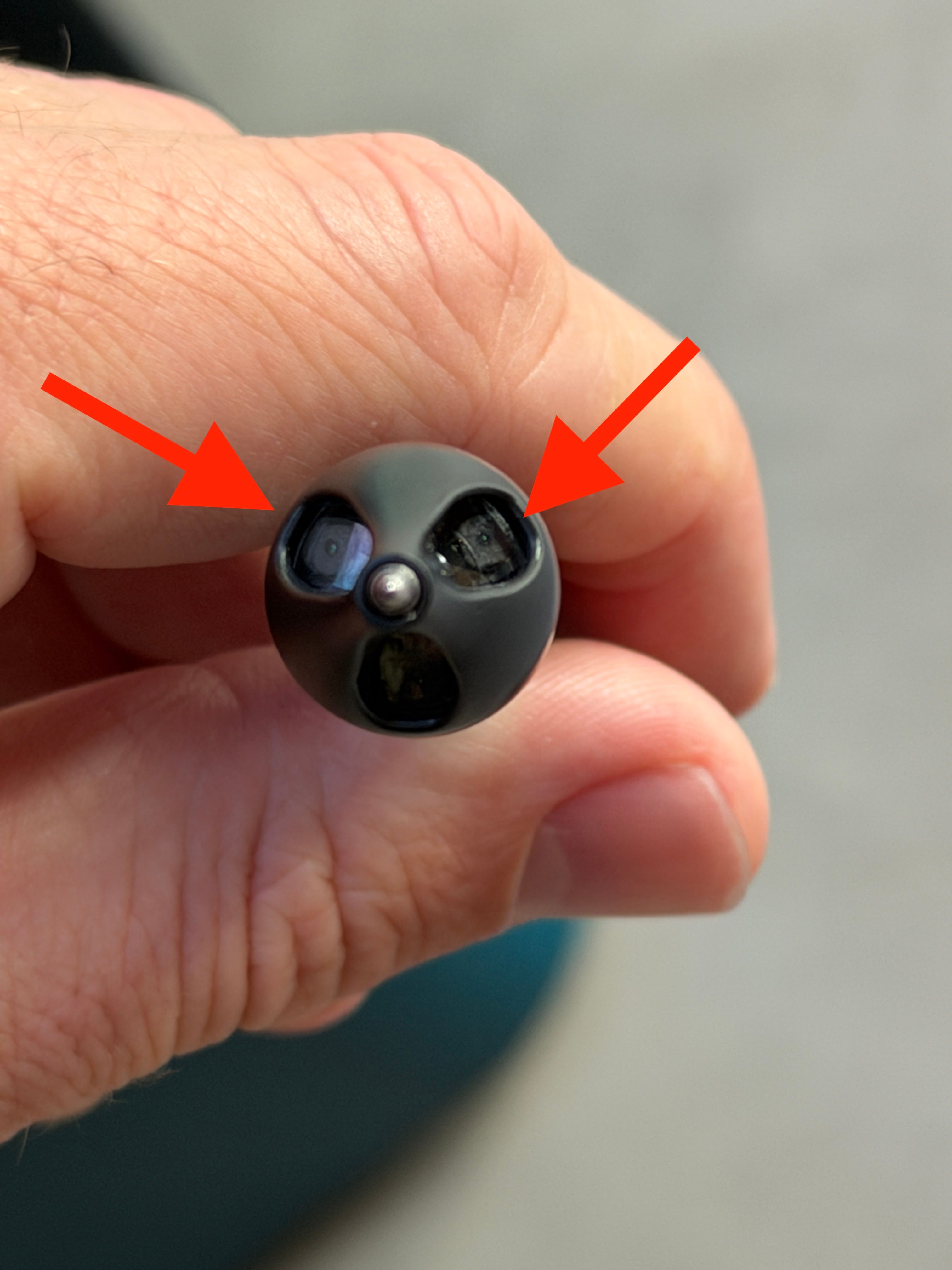
You want all three cameras to look fully open and exposed, just like in the photo above. If any camera looks partly covered by the cap or sits in shadow, it doesn't have full visibility.
How to fix it
If a camera looks blocked, gently twist the cap back into the correct position:
Hold the pen body steady in one hand.
Slowly twist the cap at the top.
As you turn it, watch the cameras come fully into view.
Keep twisting slowly until you feel a subtle snap. That snap means the cap is seated correctly and in place.
Once you feel the snap and all three cameras are clearly visible, you're good to go.
Quick recap
All three cameras should look fully open, with nothing covering them.
A blocked camera usually means the cap has twisted out of position.
Twist the cap slowly until it snaps into place, then check the view again.
Was this helpful?
Still need help? Ask the team