
Changelog

Follow new updates and improvements to Nuwa Pen.

Ink Engine Upgrade + Firmware Update
Release notes — Nuwa+ app v0.6.20+ / Firmware 5.1.4.8

What's new

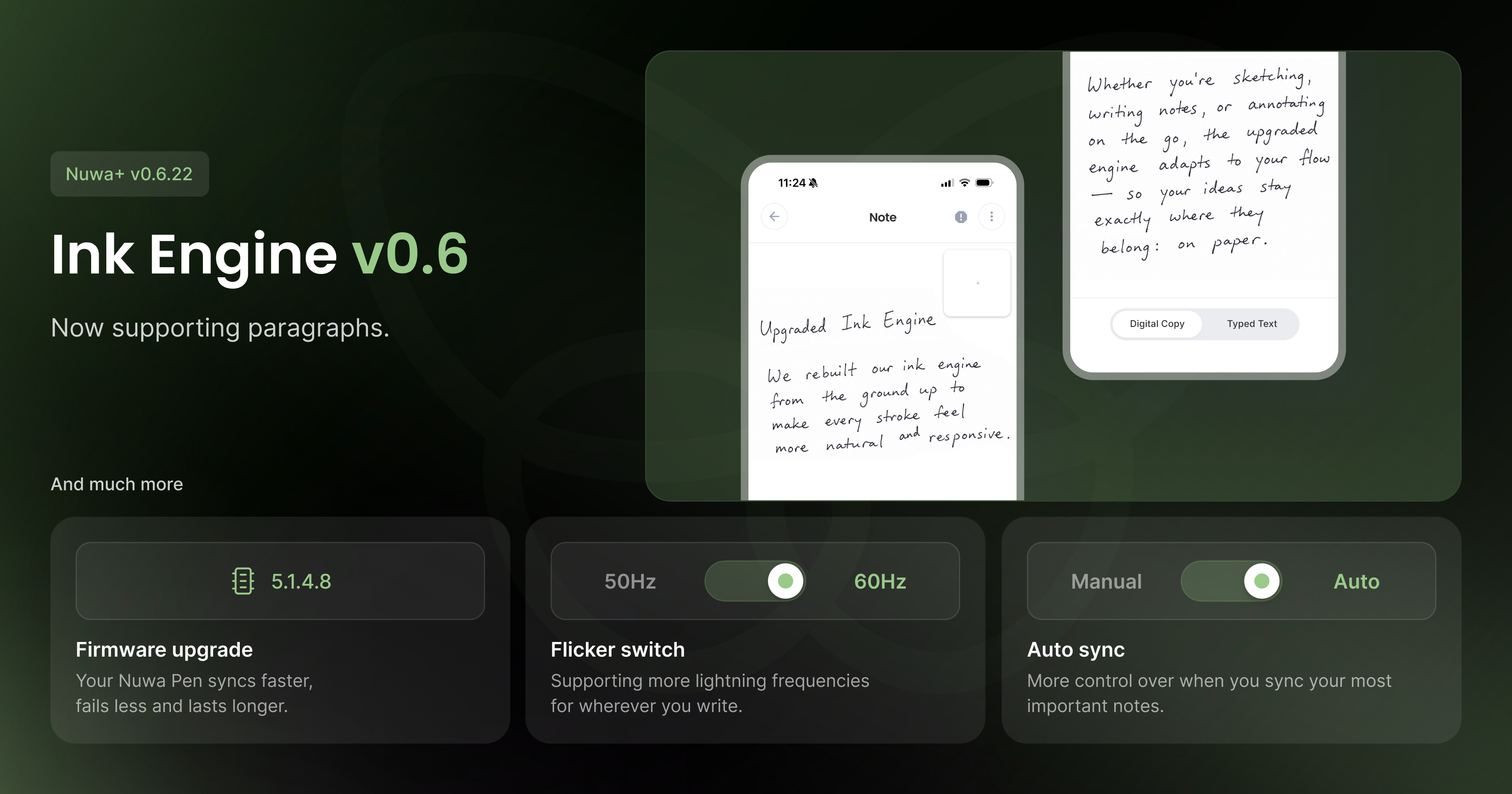
Ink Engine v0.6

We're introducing Ink Engine v0.6, the algorithm that generates your Digital Copy from raw pen strokes. This version brings better accuracy on multi-line notes and a closer, truer match to your actual handwriting.

New firmware: 5.1.4.8

This is our most stable firmware release yet. It includes a fix for a memory write bug that could corrupt stored notes, a fix for a stack overflow that could cause unexpected pen crashes mid-write, and improved memory handling overall, including a more reliable memory erase process. Battery performance has also been improved.

Rock-solid BLE connectivity

Bluetooth syncing is significantly more reliable across both platforms. Expect fewer dropped connections and smoother syncing between your pen and the app.

New modes

Two new modes give you more control over how your pen operates:

  • Auto-Sync — automatically sync notes in the background without thinking about it

  • Flicker Mode — a new camera filter setting, configurable from general settings

Small things worth mentioning

Tabbed pen settings, the new in-app support sheet, and the overhauled setup flow from recent updates are all included in this release.
Enhanced Connectivity, Better Reporting and Improved Note Handling

Release notes — Nuwa Pen v5.1.2.0 + Nuwa+ App v0.6.12

What's new

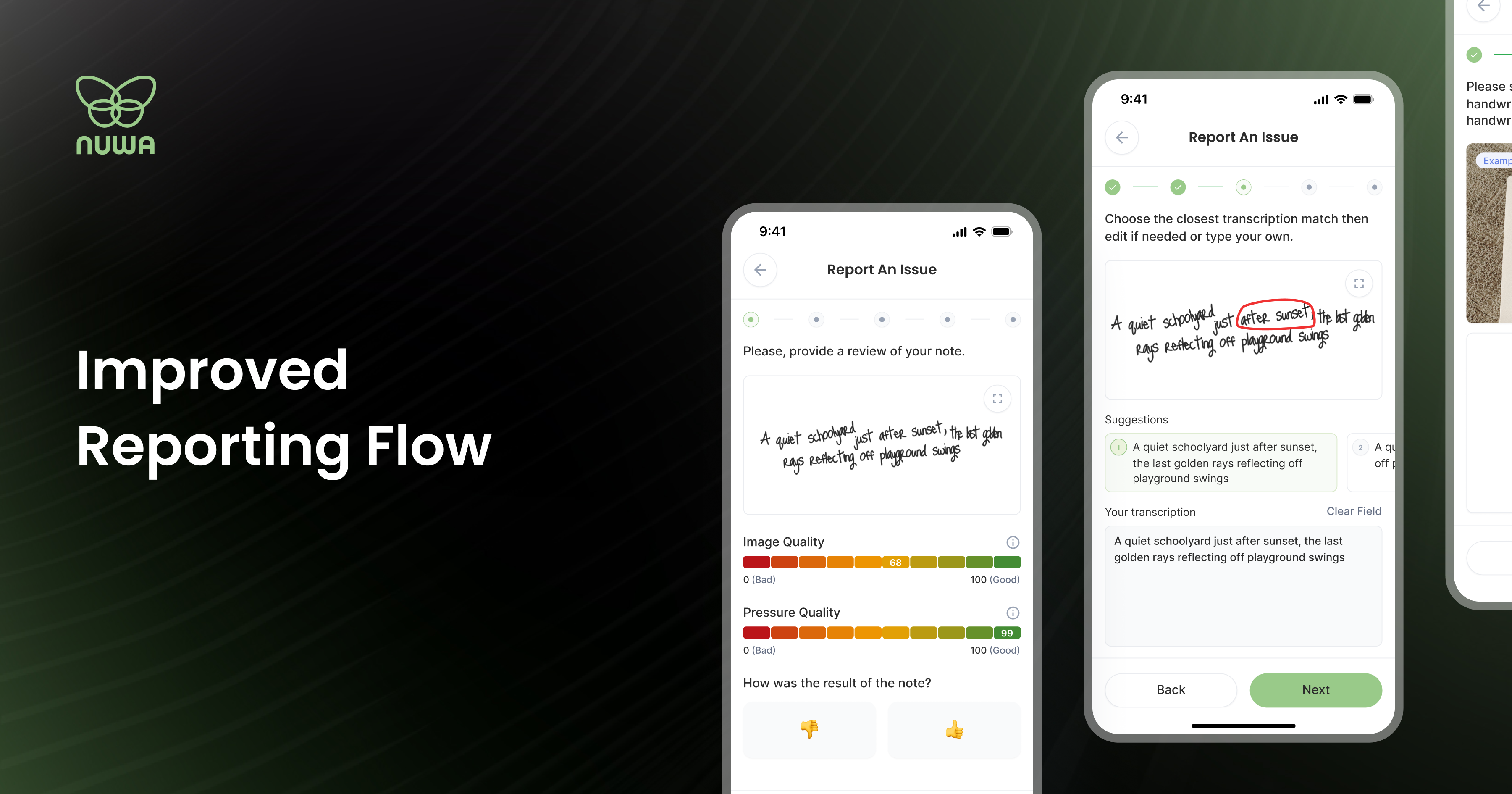
This release introduces the Note Report 2.0 flow, a new way for you to send us your handwriting samples directly from the app. Tap any note, hit the report icon (!), attach images of your writing, and submit. That's it. Every report goes straight to our team and helps us improve recognition accuracy for your specific handwriting. The more reports we get, the faster the pen gets smarter. Reporting is supporting.

Watch a quick video walkthrough here: How do I report a note?

Bug fixes and improvements

Bluetooth connectivity has been overhauled. The reconnection loop that plagued backgrounded sessions is gone, and connection stability is significantly more consistent across the board.

Note resync now works as intended. The "Try Again" button previously skipped failed transfers rather than retrying them. Fixed.

Redesigned screens

The Pen Settings screen has been rebuilt from the ground up for easier navigation. Firmware update details are now visible before you commit to installing, so you know what you're getting.

Small things worth mentioning

Rename your pen immediately after pairing. And a new "Tap to Connect" button makes the pairing flow faster.


To get these updates, update the app on iOS and Android and follow the on-device firmware instructions. Questions or feedback? Email us at team@nuwapen.com to book a call or ask any question on your mind.

NewImprovedFixedAppFirmware