Changelog

Follow new updates and improvements to Nuwa Pen.

Calendar View + PDF Sharing
Release notes — Nuwa+ app v0.6.25 / firmware 5.1.5.0

Video Walkthrough

Whats New

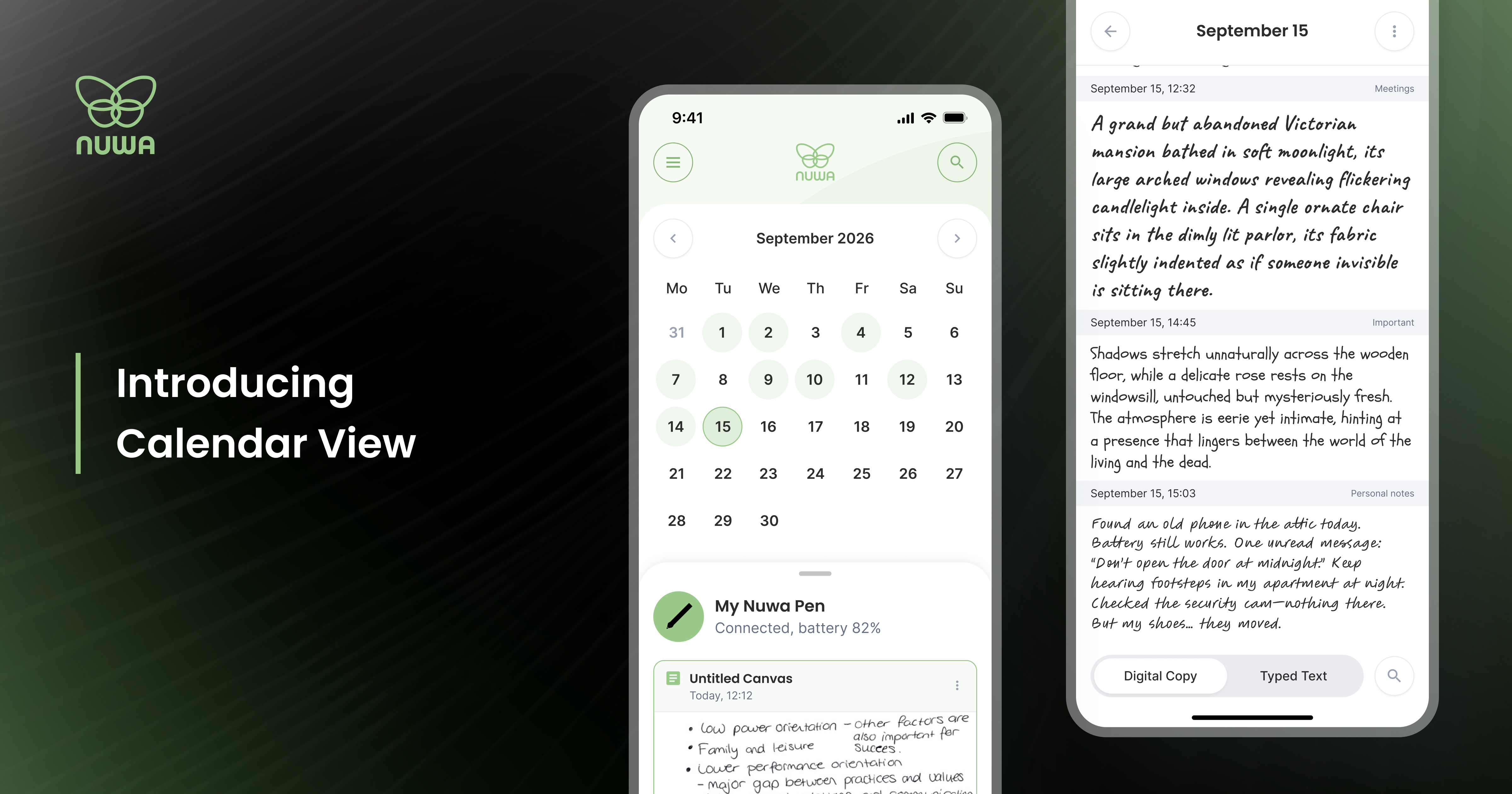
Calendar View

The home screen now has a Calendar View with both single day and multi-day view, so you can browse your notes by date the way you actually think about them.

Transcription language

Transcription is now linked to the language you selected during onboarding, with a Settings screen to change it whenever you want.

Offline support

The app now handles being offline gracefully. You'll see clear offline indicators on the Typed Text tab and Support screen instead of an endless spinner. A new Cloud Status screen shows you exactly where your sync stands, with a sequential download then upload process that's easier to follow and trust.

Stroke Taper setting

Stroke taper is now a user-facing setting under Digital Copy settings, so you can dial in how your handwriting looks in the app. To adjust these settings go to Menu > General > Digital Copy.

PDF sharing restored

PDF export from Digital Copy is back. Getting even better soon. To share a PDF of the note, tap a Note, press the (:) in the top right corner and hit share.

Search improvements

Search now matches notes containing punctuation and apostrophes, handles newly uploaded notes correctly, and shows a loading state and a proper empty result screen instead of a blank page.

Settings reorganized

Settings are now grouped into Storage and Get Help sections, making them easier to navigate. There's a new "Talk to a human" support flow if you need help from a human fast. Password manager AutoFill now works across all auth and password screens.

Bug fixes and stability improvements are included in this build.

As always, to everyone in the alpha who's been filing reports: thank you to all you brave souls

Every report you file makes the next release better. Reporting is supporting.
NewImprovedApp

Ink Engine Upgrade + Firmware Update

Release notes — Nuwa+ app v0.6.20+ / Firmware 5.1.4.8

What's new

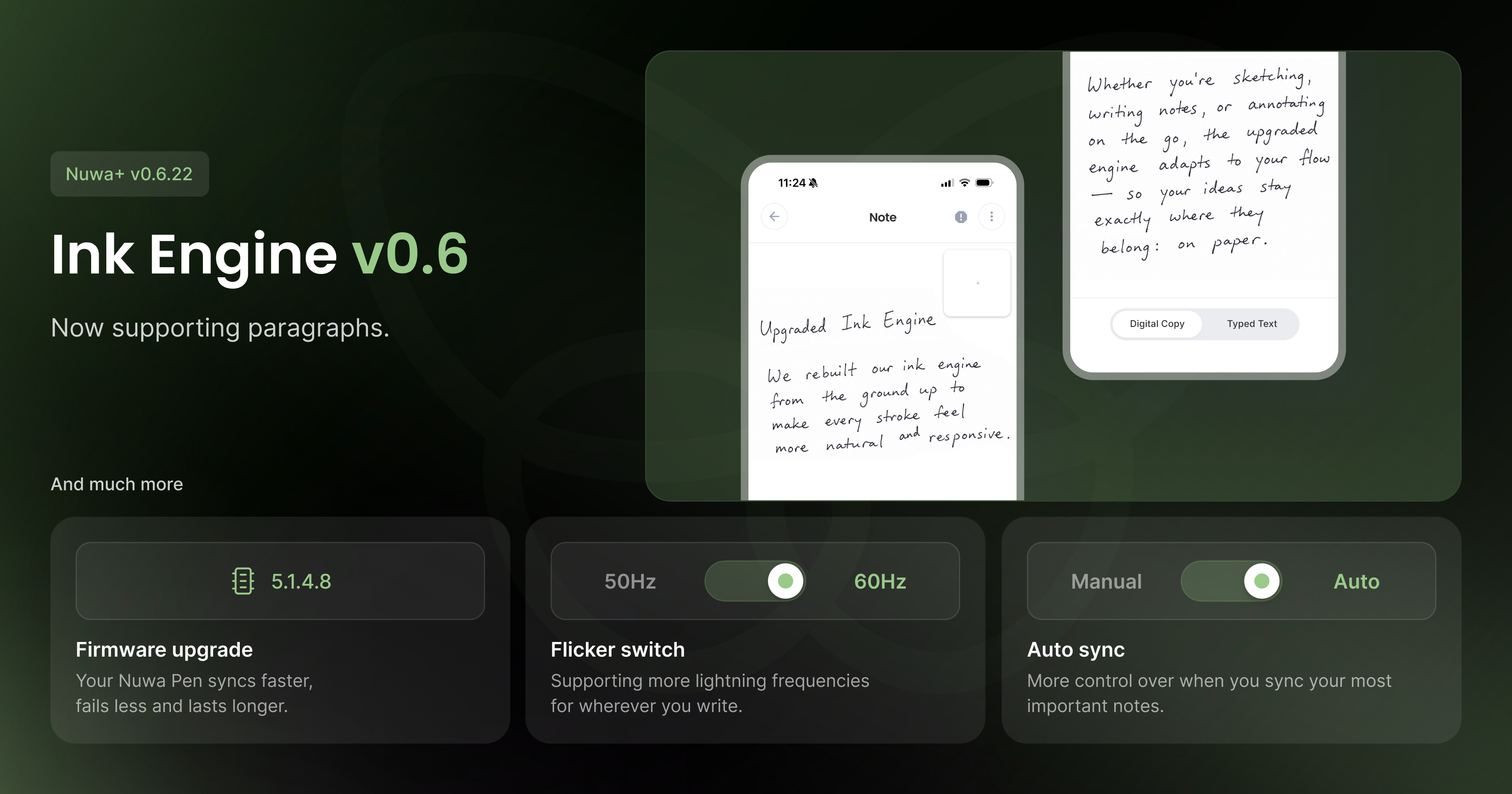
Ink Engine v0.6

We're introducing Ink Engine v0.6, the algorithm that generates your Digital Copy from raw pen strokes. This version brings better accuracy on multi-line notes and a closer, truer match to your actual handwriting.

New firmware: 5.1.4.8

This is our most stable firmware release yet. It includes a fix for a memory write bug that could corrupt stored notes, a fix for a stack overflow that could cause unexpected pen crashes mid-write, and improved memory handling overall, including a more reliable memory erase process. Battery performance has also been improved.

Rock-solid BLE connectivity

Bluetooth syncing is significantly more reliable across both platforms. Expect fewer dropped connections and smoother syncing between your pen and the app.

New modes

Two new modes give you more control over how your pen operates:

  • Auto-Sync — automatically sync notes in the background without thinking about it

  • Flicker Mode — a new camera filter setting, configurable from general settings

Small things worth mentioning

Tabbed pen settings, the new in-app support sheet, and the overhauled setup flow from recent updates are all included in this release.

On-Device Recognition + Stroke Rendering

Release notes — Nuwa App v0.6.15

What's new

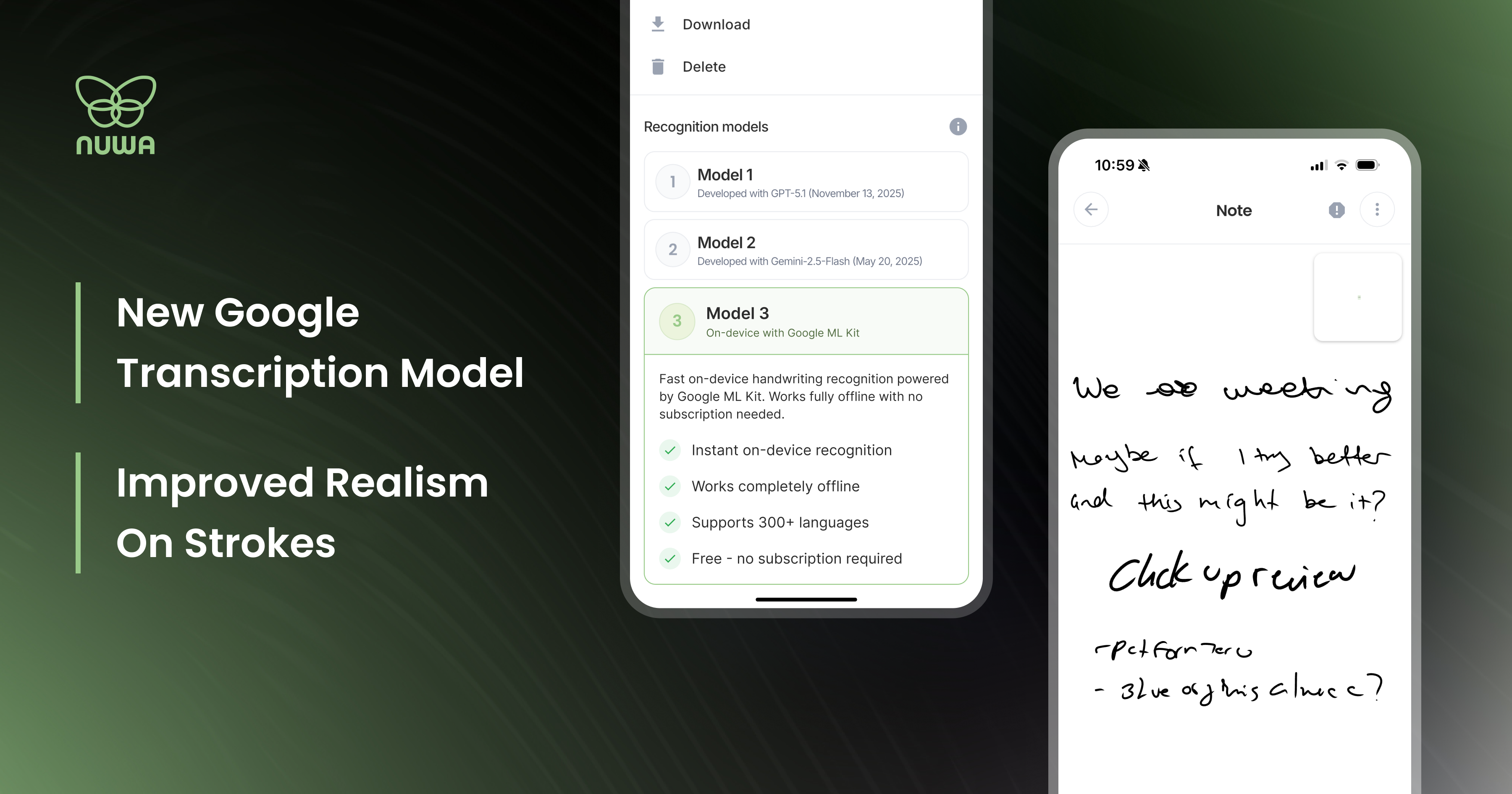
On-device transcription (Model 3)

We now support offline handwriting recognition via Google ML Kit, and it's unlike the other two models. Instead of sending your writing to the cloud, everything runs locally on your phone. More importantly, it uses online handwriting recognition, which means it reads the trajectory of each stroke as you write, rather than analyzing a static image after the fact. The result is a fundamentally different approach to recognition, one that may work significantly better or worse depending on your handwriting style. Worth testing.

To try it: open any note, tap the three-dot menu in the top right, and switch between models 1, 2, or 3. Model 3 is the on-device Google ML Kit engine.

Tapered strokes

Your handwriting in the app now looks like your handwriting. Strokes taper at the start and end of each mark, much closer to how ink actually behaves on paper. It's a subtle change that makes a real difference when reading back your notes.

Bug fixes and stability improvements are included in this build.

To everyone in the alpha who's been filing reports: thank you to all you brave souls!

NewImprovedApp

Earlier updates