What do the different LED colors mean?
The Nuwa Pen and its charging case use LED indicators to show different statuses. Here is a breakdown of what each LED color means for both the pen and the case.
Written By Marc Tuinier
Last updated 8 months ago
Nuwa Pen LED Indicators
The Nuwa Pen has LEDs that indicate battery status, connection states, and modes.
The Nuwa Pen LED light turns off after ±20 seconds when you lie it down. To turn the light back on, grab your Nuwa Pen.
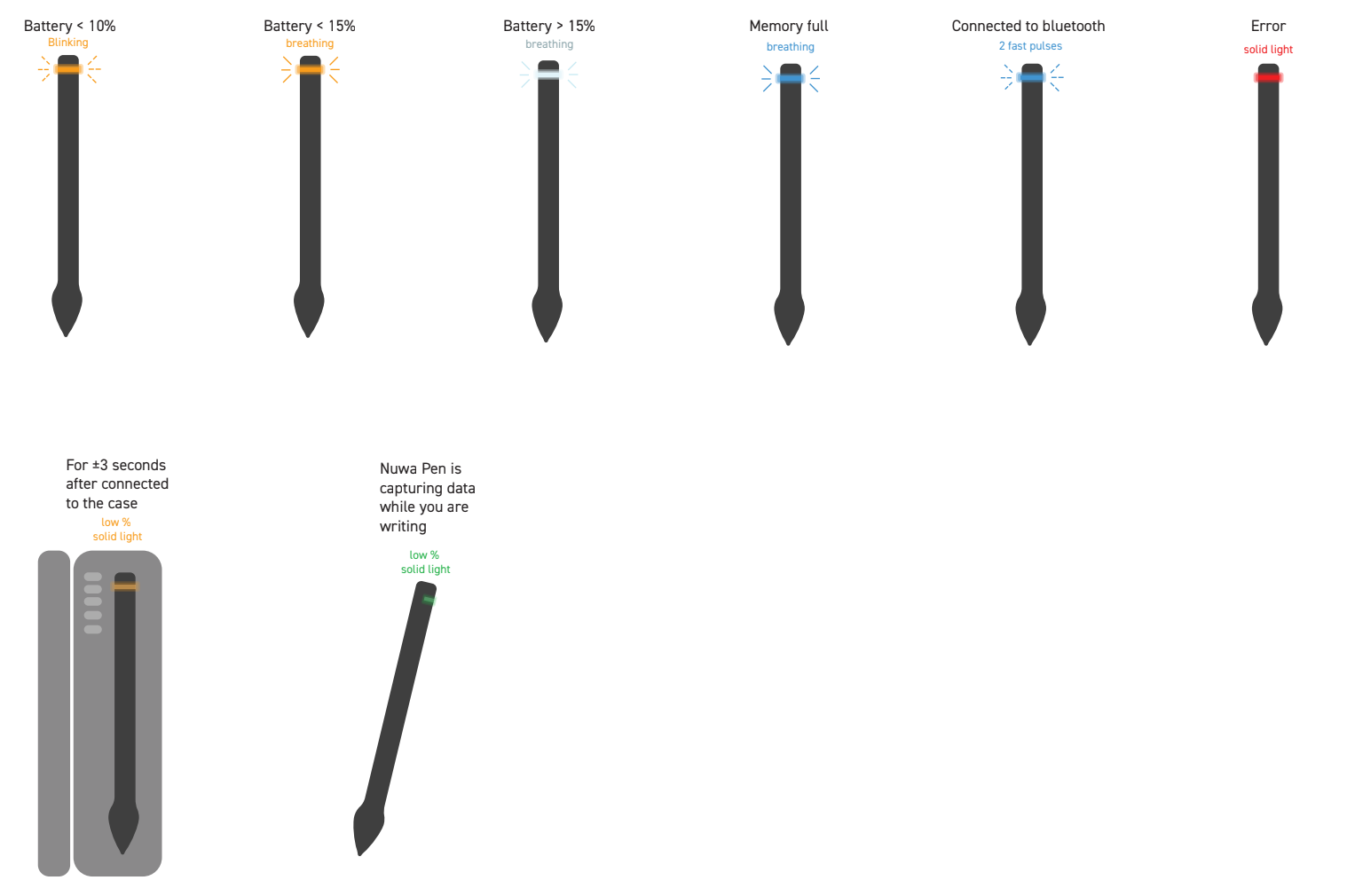
Battery Status & Charging:
Blinking Orange Light → Battery is critically low (<10%)
Breathing Orange Light → Battery between 10%-15%
Breathing White Light → Battery over 15%
Solid Orange Light → When you lie your Nuwa Pen in the case, and it is not fully charged it will display Solid Orange Light for ±3 seconds.
Syncing:
Solid Green Light → Your Nuwa Pen is capturing data while you are writing.
Breathing Blue Light → The Nuwa Pen local internal memory is full. Your Nuwa Pen is request you to connect via Bluetooth to your phone.
Blinking Blue Light (4 fast pulses) → Bluetooth connection in progress. LED turns to Breathing White Light after successfully connected.
Modes & Errors:
Solid Red Light → Error detected; check app for details. You may need to reset your Nuwa Pen, please follow the instructions here.
Case LED Indicators
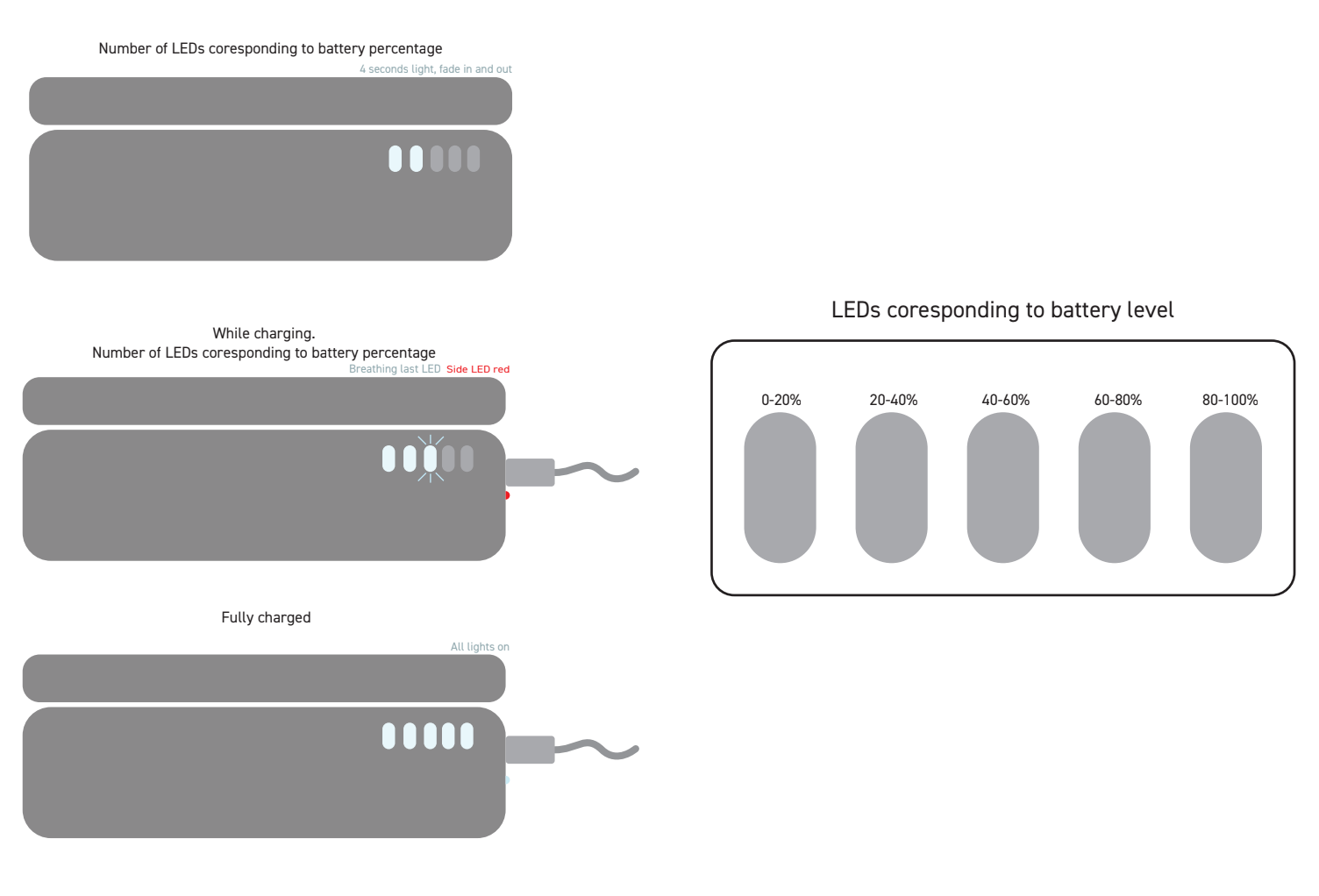
The charging case has five LEDs, each representing 20% of battery level:
1 LED → 0%-20% battery
2 LEDs → 20%-40%
3 LEDs → 40%-60%
4 LEDs → 60%-80%
5 LEDs → 80%-100%
Charging Behavior:
While Charging: The last active LED will “breathe” while others remain ON.
When Lid Opens: All active LEDs “breathe” once.
When the case is not charging: All active LEDs “breathe” once when lid is opened.
Low Battery Warning:
If the battery is below 15%, the first LED blinks
Side LEDs when the case is charging
Red LED ON → Case is charging
White LED ON → Case is fully charged
Both OFF → Case is not charging
Still need help? Ask the team